最后由 m1800 于 2026-1-6 00:00 编辑
通过调用库文件,可以向钉钉群/企业微信群发送消息,使用官方API通道稳定,高速无延迟,
手机端/电脑端同时接收.
发送端不需要运行其它软件,只需要 你编写一个新的EA,在需要发送消息的位置调用库文件即可.
可接受各类消息提醒定制,可发送钉钉群/企业微信群/普通微信群(独立聊天窗口,非邮件提醒,非公众号告警)
/飞书/手机MT4&MT5.
适用:
1.指标信号需要发送提醒到手机
2.开单/平仓信息需要发送提醒到手机
3.多条件组合信号发送提醒到手机
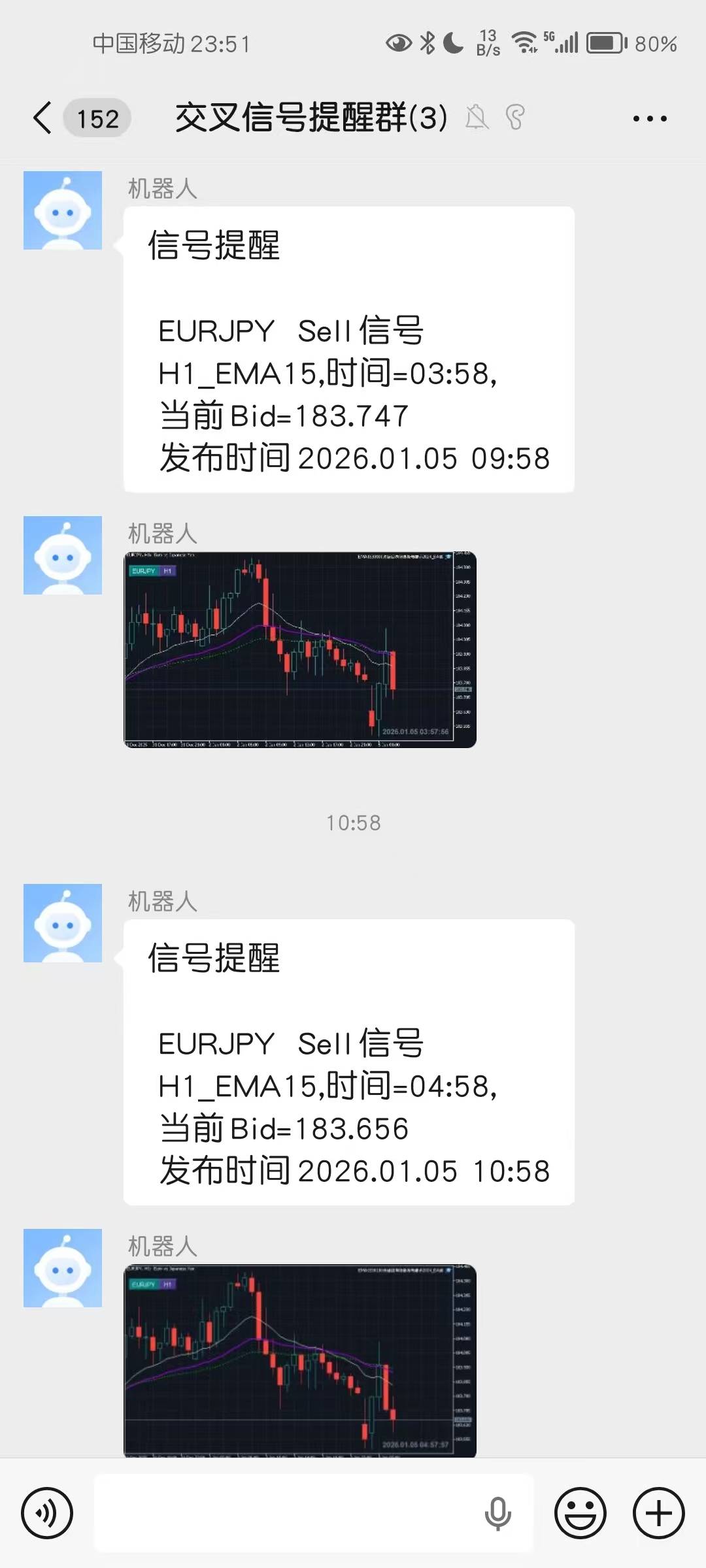
4.可发送行情截屏图片.
免费版每条消息可发送3行内容+版权信息,可满足大多数人的自用.
定制版每条消息最多可发送20行内容+定制版权信息.
详细使用方法如下:
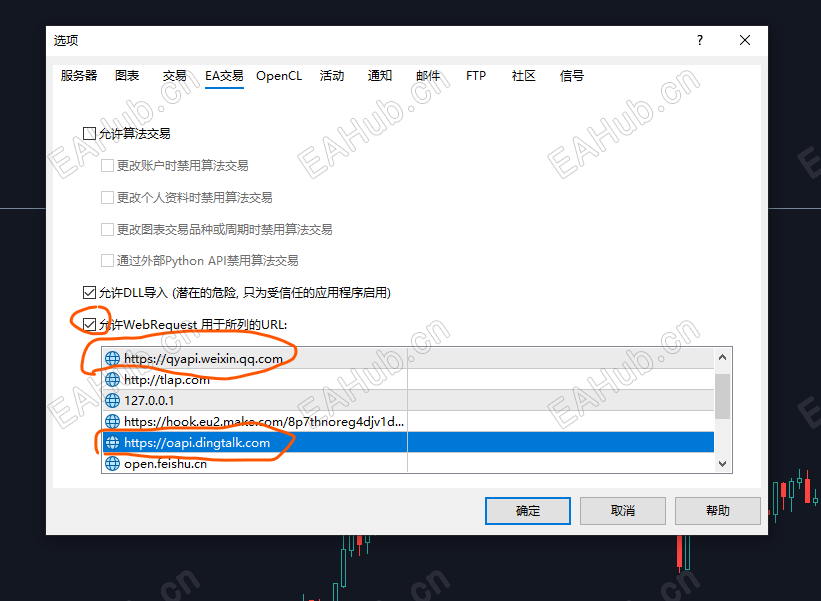
先设置WebRequest增加以下网址:
https://oapi.dingtalk.com
https://qyapi.weixin.qq.com
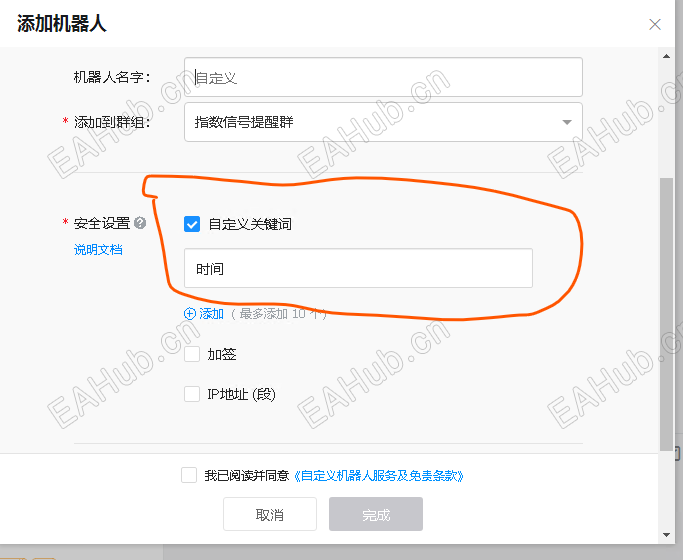
钉钉机器人安全关键词设置为"时间"
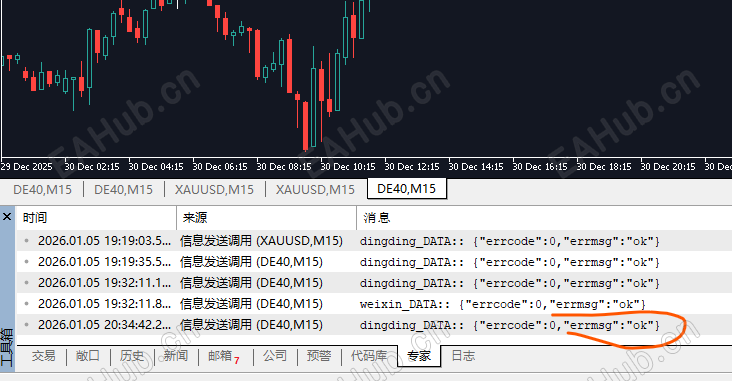
发送成功显示日志 {"errcode":0,"errmsg":"ok"}
钉钉和企业微信收到消息截图
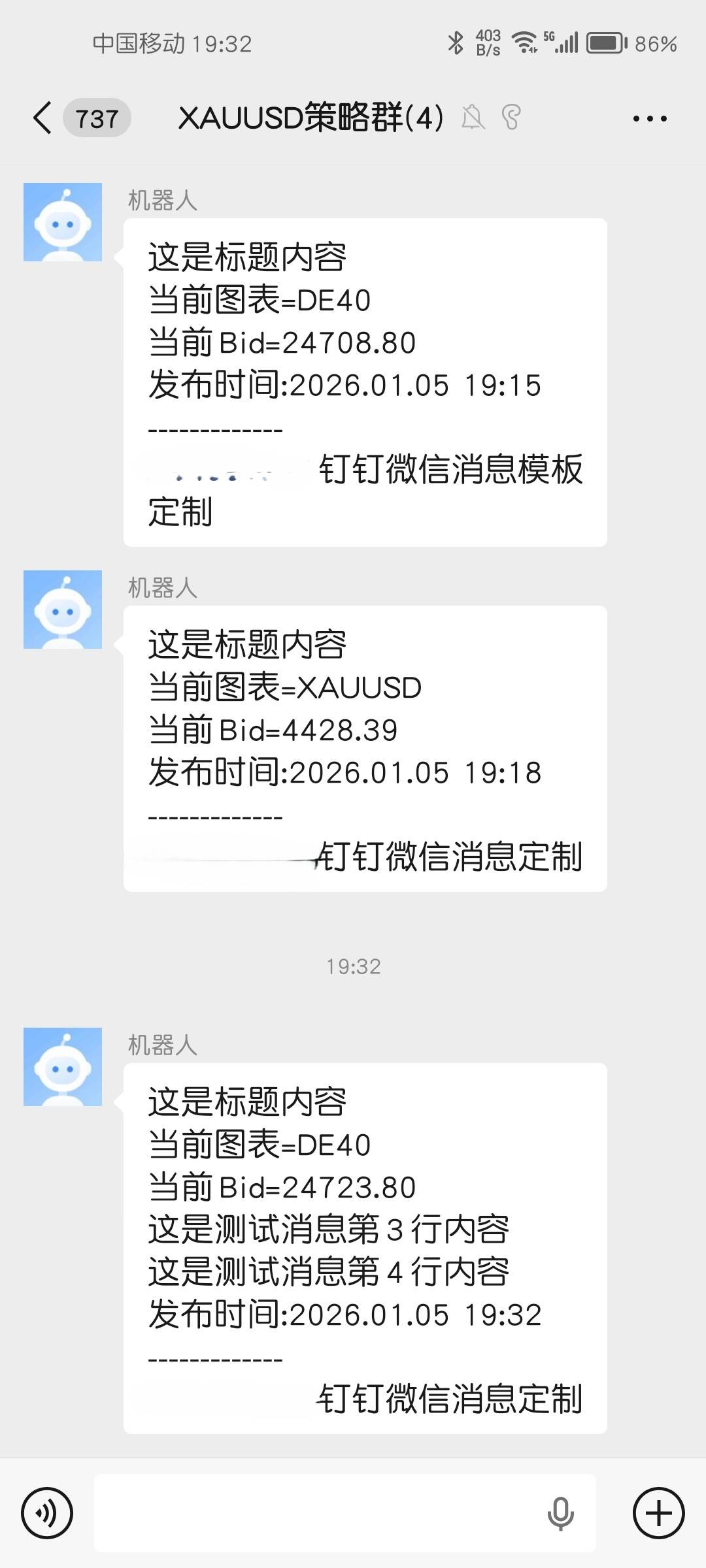
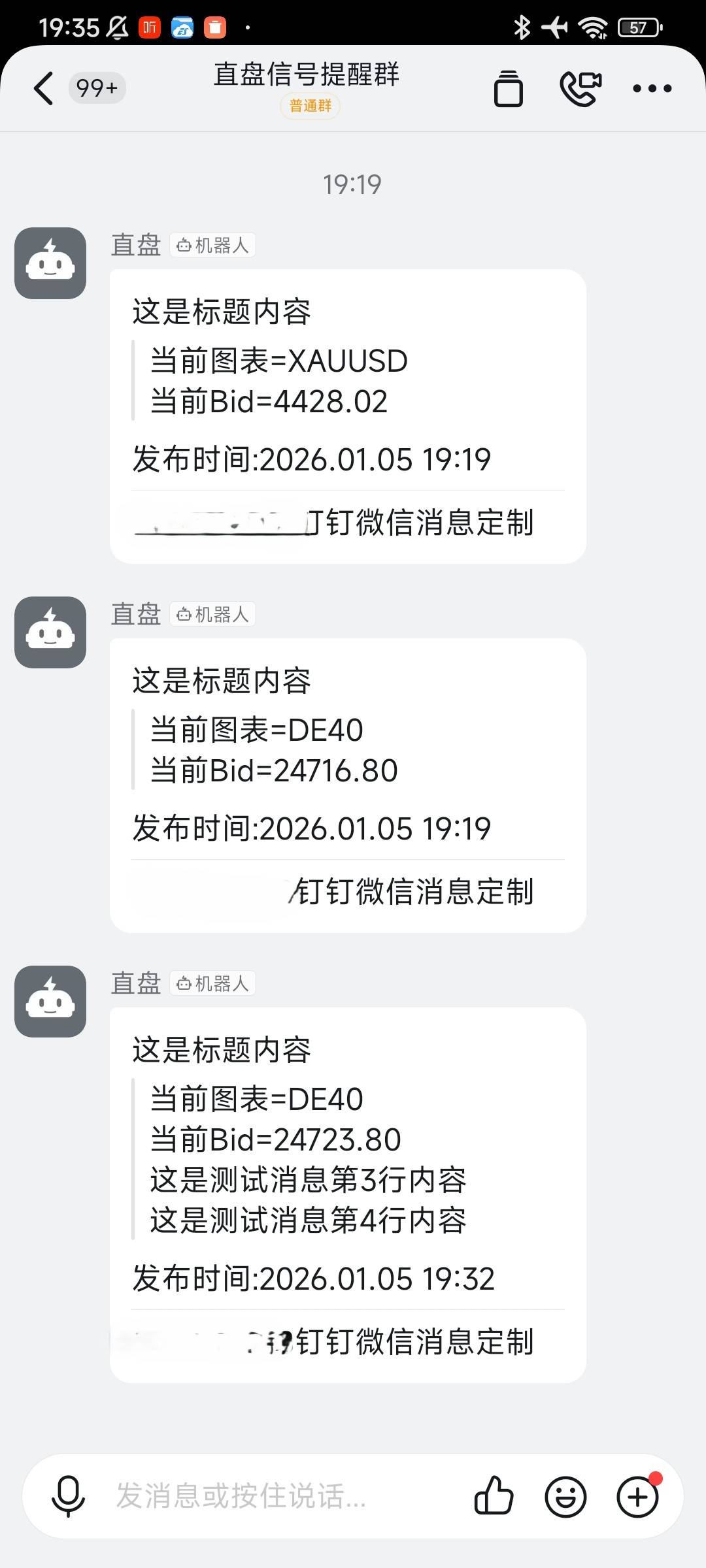
普通微信,独立聊天窗口收到的消息(需定制,消息可置顶)

MessageLibrary..ex4/ex5 库文件需要放在Libraries目录中,
代码中两个url需要替换成你自己的机器人地址,
MT4示例脚本调用方法如下(MT5相同):
- //+------------------------------------------------------------------+
- //| 信息发送调用.mq5 |
- //| Copyright 2026, MetaQuotes Ltd. |
- //| https://www.mql5.com |
- //+------------------------------------------------------------------+
- #property copyright "Copyright 2026, MetaQuotes Ltd."
- #property link "https://www.mql5.com"
- #property version "1.00"
- #property strict
- //#property script_show_inputs
- #import "MessageLibrary.ex4"
- void dingding(string url, string content, string text);
- void weixin(string url_weixin, string content, string text);
- #import
-
- string url_dingding = "https://oapi.dingtalk.com/robot/send?access_token=8a60468a008f010c2d7c8e40948e67a88d2";
- string url_weixin = "https://qyapi.weixin.qq.com/cgi-bin/webhook/send?key=ab0f4f97-0ebe-4633-bce" ;
- string content = "这是标题内容";
- string str2 = "当前图表=" + _Symbol;
- string str3 = "当前Bid=" + DoubleToString(SymbolInfoDouble(_Symbol, SYMBOL_BID), _Digits);
- string str4 = "这是测试消息第3行内容";
- string str5 = "这是测试消息第4行内容";
- string str6 = "这是测试消息第5行内容";
-
- //+------------------------------------------------------------------+
- //| |
- //+------------------------------------------------------------------+
- void OnStart()
- {
- dingding(url_dingding, content, str2 + "\n" + str3 + "\n" );
- weixin(url_weixin, content, str2 + "\n" + str3 + "\n" );
- }
复制代码
|